
The tech world is currently buzzing with anticipation. As we move deeper into 2026, the question on every PC enthusiast’s mind isn’t just “What’s next?” but rather, “When is Windows 12 coming out?“
Microsoft has been uncharacteristically quiet about a formal “Windows 12” branding, yet the evidence of a massive architectural shift—internally known as Project Hudson Valley—is everywhere. We aren’t just looking at a visual polish; we are looking at the birth of the first truly AI-native operating system.
In this comprehensive guide, we’ll dive into the rumored release windows, the groundbreaking modular design, and the AI features that are set to change how we use computers forever.
When is the Windows 12 Release Date?
If you were expecting a sudden “drop” in early 2026, you might need to adjust your calendar. While Microsoft originally aimed for a 2024–2025 release cycle, industry insiders and leaked roadmaps now point toward a more calculated rollout.
The Most Likely Timeline
Current reports suggest that Windows 12 will officially launch in late 2026 or early 2027.
Why the delay? Microsoft has shifted toward a “ship-when-ready” model. Instead of launching a buggy OS, they have been “trickling” Windows 12 components into Windows 11 updates (like the recent 25H2 and the upcoming 26H2 bridge). This ensures that when the “Windows 12” name finally becomes official, the ecosystem is stable and the hardware is ready.
| Milestone | Expected Date / Status |
| Windows Build 2026 Keynote | June 2–3, 2026 (Possible Teaser) |
| Insider Preview (Release Preview) | Late Q3 2026 |
| General Availability (Public Launch) | Late 2026 / Early 2027 |
| Windows 10 Support End | October 14, 2025 (Already Passed) |
The “Soul” of Windows 12: AI and the NPU
The biggest differentiator for Windows 12 isn’t a new Start menu—it’s the NPU (Neural Processing Unit). In previous versions, AI was a “sidebar” feature (literally, in the case of Copilot). In Windows 12, AI is the engine.
1. Smart Recall (The Photographic Memory)
Imagine being able to search for “that blue dress I saw on a website three days ago” or “the spreadsheet where I mentioned the 2027 budget.” Smart Recall takes periodic snapshots of your screen and uses local AI to index everything you’ve seen or done. Because this happens on your dedicated NPU, your data stays private and never leaves your device.
2. Semantic File Explorer
The traditional “Search” bar is being replaced by a Neural Index. You won’t need to remember file names like Final_v2_edit.pdf. Instead, you can search for concepts: “Show me the documents about the marketing strategy that I worked on while at the coffee shop.” Windows will use location metadata and document content to find exactly what you need.
3. Generative UI and “Agentic” OS
Windows 12 aims to be an “Agentic OS.” This means the operating system understands your intent. If you tell your PC, “Prepare me for my 10:00 AM meeting,” it could automatically:
- Open relevant documents.
- Summarize previous email threads.
- Set your status to “Do Not Disturb.”
- Launch the meeting link two minutes early.
Modular Design: The CorePC Revolution
For decades, Windows has been a “monolithic” operating system—one giant block of code that is hard to update and prone to corruption. Windows 12 is expected to debut CorePC, a modular architecture that splits the OS into different “states.”
- State Separation: Your system files live in a read-only partition, separate from your apps and personal data. This makes Windows 12 much harder for malware to infect.
- Faster Updates: Because the OS is modular, Microsoft can update the “AI module” or the “Security module” without forcing you to restart your entire computer for every minor patch.
- Lighter Versions: CorePC allows Microsoft to ship a “lite” version of Windows 12 for tablets and education laptops, while keeping a “heavy” version for gaming rigs and workstations.
Visual Changes: A Floating Future?
While the architecture is the big story, the look of Windows 12 is also getting a refresh. Leaked builds from the Canary Channel have shown off a few experimental design elements:
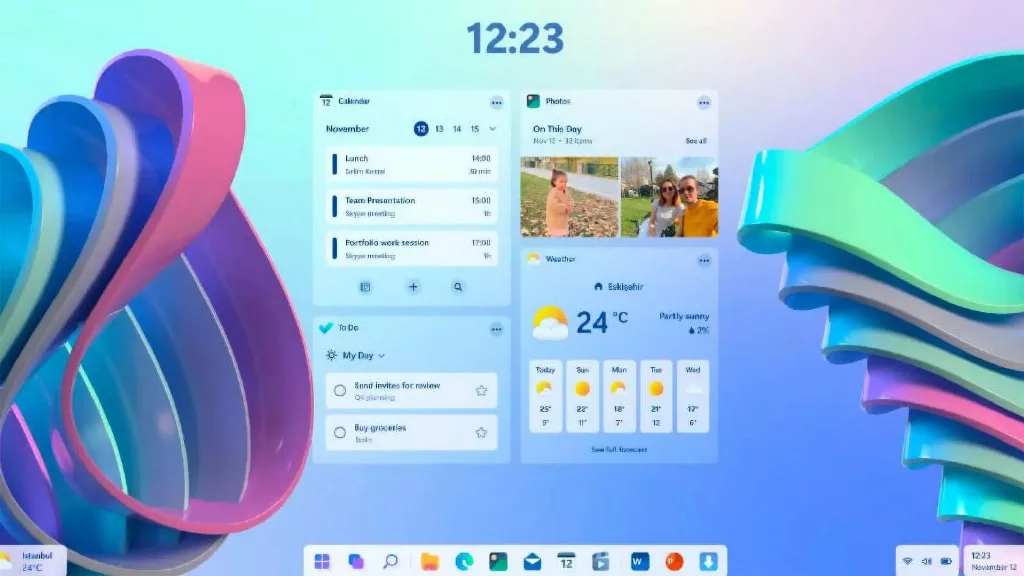
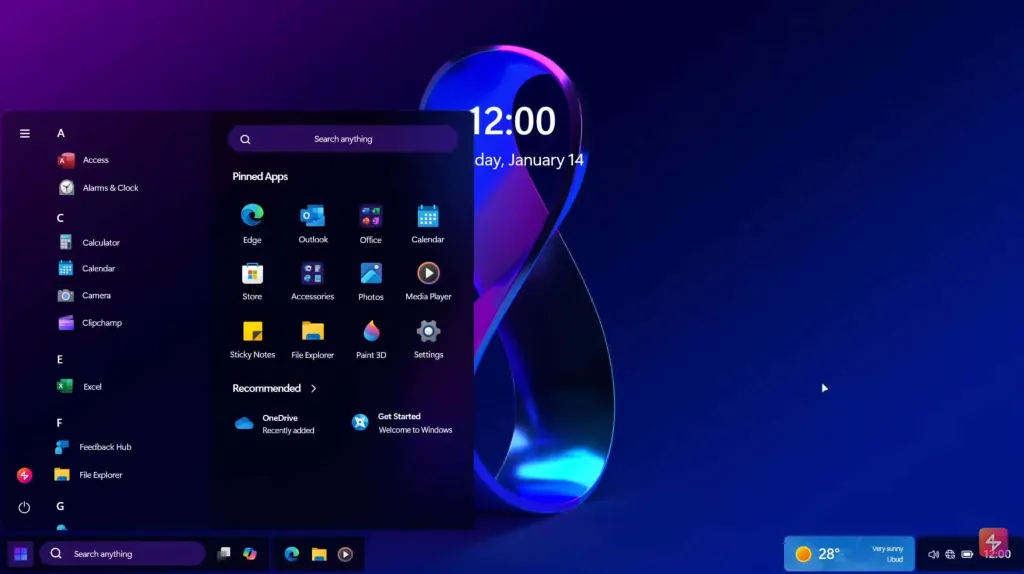
- The Floating Taskbar: Instead of a bar that stretches edge-to-edge, the new taskbar sits slightly above the bottom of the screen with rounded corners, mimicking the dock found in macOS or iPadOS.
- Top System Bar: Some rumors suggest moving system icons (Wi-Fi, Battery, Clock) to a slim bar at the top of the screen, leaving more room for apps on the desktop.
- Parallax Live Wallpapers: Using AI depth-sensing, Windows 12 can turn any static image into a 3D-effect wallpaper that moves as you shift your cursor or tilt your device.
Will Your PC Run Windows 12? (System Requirements)
This is where the news gets a bit “expensive” for some. To run the full suite of Windows 12 AI features, your computer will likely need modern hardware that didn’t exist two years ago.
Estimated Requirements
- RAM: 8GB minimum, but 16GB is the “sweet spot” for AI tasks.
- Processor: 64-bit multi-core with a dedicated NPU. (Intel Core Ultra, AMD Ryzen AI 300, or Snapdragon X Elite).
- Storage: 64GB–128GB SSD required. Hard drives (HDDs) will likely be blocked from installation.
- Security: TPM 2.0 and Secure Boot remain mandatory.
Note: There will likely be two “tiers” of Windows 12. A Base Version that runs on older Windows 11 hardware without the AI bells and whistles, and a Copilot+ Tier that requires a 40+ TOPS NPU for the advanced features.
Windows 11 Support: Is It Time to Switch?
If you aren’t ready to buy a new “AI PC,” don’t worry. Windows 11 is still the “current” champion.
With Windows 10 having reached its end of life in October 2025, most users have already migrated to Windows 11. Microsoft has committed to supporting Windows 11 for at least 10 years from its launch, meaning Windows 11 will remain safe and updated until at least 2031. You have plenty of time to let the “early adopters” iron out the bugs in Windows 12 before you make the jump.
Should You Upgrade?
You should wait for Windows 12 if:
- You are a Creative Professional who wants AI to handle tedious tasks like background removal or file tagging.
- You are a Power User who values the security of a modular, state-separated OS.
- You are planning to buy a new laptop in late 2026 anyway.
You should stick with Windows 11 if:
- Your current PC works perfectly and lacks an NPU chip.
- You are wary of “first-generation” AI bugs.
- You prefer the traditional, non-subscription-based model of current computing.
Final Thoughts
Windows 12 isn’t just a new version number; it’s a pivot point for the entire PC industry. As we move toward the “era of the Agentic OS,” our computers will stop being passive tools and start being active assistants.
Whether you’re excited about the floating taskbar or nervous about the NPU requirements, one thing is certain: the PC as we know it is about to change forever.
